

Does the teaching meet the pupil?
Review starting-point questions, factual accuracy, responses to misconceptions and whether SID steps back far enough when a pupil needs foundations.
School Companion
SID asks questions, listens to pupils’ answers and helps teachers see what to revisit.
What makes water evaporate?
The water cycle
Follow Maya through a short lesson and a later check of what she remembers.
Schools choose the topics pupils work on.
SID asks a few questions to find out what the pupil already knows.
If a pupil gets stuck, SID can revisit the basics or try a simpler example.
Teachers can review the pupil’s answers and decide what to revisit in class.
The knowledge wheel shows what a pupil has answered independently, where they needed help and what’s still to check.
Teachers can also review saved observations for individual pupils, including misconceptions and suggested next steps, and correct a judgement if needed.
Progress
These findings inform our design decisions. Each principle needs to be implemented well—and evaluated in the setting where pupils actually use it.
Evidence-informed design. Impact still to be tested. Research on teaching approaches is not proof that School Companion improves attainment. We are not claiming the EEF’s impact estimates for this tool, and the pilot is not an EEF evaluation or endorsement.
The EEF finds that effective feedback focuses on the task, subject or learning strategy and gives pupils information they can act on. Its effects vary with implementation.
Respond to the pupil’s reasoning, explain a misconception and check the next step, rather than simply announce a score.
The EEF’s cognitive science review examines how approaches such as worked examples and managing cognitive load translate into classrooms. What works depends on the pupil, content and implementation.
Check foundations, reduce the size of a difficult step and use a relevant visual. Withdraw support before checking independent understanding.
Dunlosky and colleagues’ review identifies practice testing and distributed practice as broadly useful learning techniques. The EEF also cautions that classroom application needs careful judgement.
Ask pupils to recall and explain, then revisit ideas over time. Evaluate later retention separately from success during a supported conversation.
The EEF supports explicitly teaching pupils to plan, monitor and evaluate their learning within subject content. Modelling and carefully chosen prompts can support this process.
Ask “How did you work that out?” and model a useful strategy. Use the answer to explore understanding, not just whether the final result is correct.
The EEF’s one-to-one tuition evidence concerns intensive individual support, usually from an adult. It emphasises the value of linking tuition with classroom teaching.
Let schools set the focus and review the evidence. Findings about human tuition cannot simply be transferred to an AI tutor.
The EEF’s digital technology guidance focuses on how technology can support teaching, assessment and practice. Its newer GenAI research programme highlights questions still to be answered about learning.
Test accuracy, appropriate challenge and independent learning alongside usability. Time spent talking to SID is not, by itself, a learning outcome.
We’re using Oak National Academy’s newly released, machine-readable curriculum framework as a reference for checking our curriculum structure, coverage and links between topics.
Oak separates its interpretation of England’s national curriculum from its own teaching sequences. That distinction matters: a sequence is one approach, not a requirement for every school.
Our work includes checking mapped concepts, reviewing foundations and retaining source references. Oak’s release is still a draft. Our mapping is development work, not certification of complete coverage or a guarantee of lesson quality. School review remains essential.
Explore Oak’s framework [8] ↗Oak National Academy. Contains public sector information licensed under the Open Government Licence v3.0. Use of the framework does not imply Oak endorsement. This reference relates to England’s curriculum; it is not a claim of alignment to Curriculum for Wales.
We want the pilot to inform development with evidence from real school use. The following is our proposed evaluation focus, to agree with participating schools.
Review starting-point questions, factual accuracy, responses to misconceptions and whether SID steps back far enough when a pupil needs foundations.
Compare an initial check with a later, fresh question and a delayed check. Separate answers given with help from independent answers; examine understanding beyond the original example.
Explore speech recognition, accents, background noise, devices, typing and accessibility needs. Look at who struggles or stops using the tool, as well as those who engage.
Review whether the learning history supports useful decisions, how well the topics fit lessons, and the time needed to set up, supervise and review the tool.
How we’ll interpret findings: before-and-after changes can inform development, but do not establish that the tool caused an improvement. Stronger impact claims would need a suitable comparison and a planned evaluation. We will distinguish usage, pupil experience and evidence of learning.
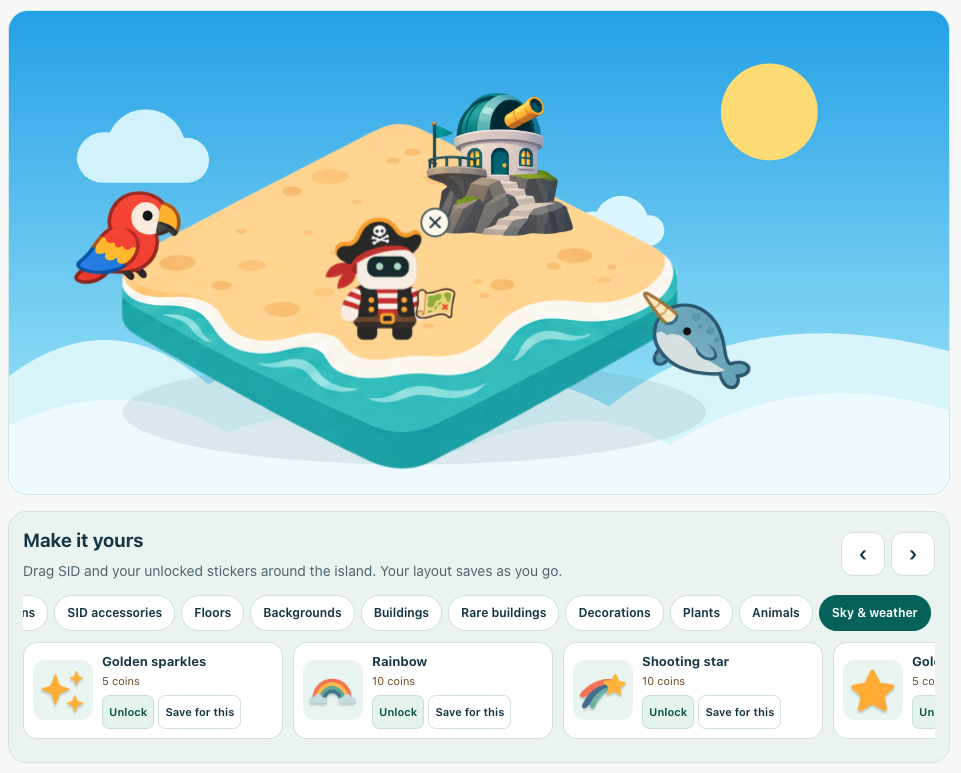
When game breaks are enabled, pupils can take a short break with built-in games. They can also spend learning coins to customise SID and decorate their island.
The pilot is free for SMID schools. Tell us which year groups and subjects you’d like to explore, and we’ll confirm what’s ready to try with your school.
Register your school’s interestSelected sources informing the design. Reviewed 7 November 2026. These are references for the approach, not evaluations of School Companion.